


Remote Control for All TV
3.7166.00 Reviews
App Specs
- Version
- 5.5.1
- Updated On
- License
- Free
- Downloads
- 10,000,000+
- Developer
- ZipoApps
- Categories
- House & Home
- Platform
- Android
Screenshots
 Analysis by AppCompare
I tend to notice a TV remote most when it isn’t where I left it. A phone-based controller can be a useful backup in that moment, but it only helps if the phone and television can communicate in the way the app expects. That connection is the part I would think about before relying on Remote Control for All TV as an everyday replacement, rather than treating it as a guaranteed fix for every living-room setup.
Why the connection matters before you settle in
Remote Control for All TV is a free House & Home app from ZipoApps, and its basic appeal is easy to understand: keep TV controls on a device that is usually close at hand. The app is rated 3.8 on average, with around 47,000 ratings, and it has over 10 million installs. Those figures suggest plenty of people have tried it, but they don’t tell me whether it will connect to a particular television; that depends on the equipment and connection method available in a given setup.
That distinction matters because a phone remote is not automatically a universal solution just because it is installed. Before settling in, I would check the app’s setup prompts against the TV and phone I actually have. If the connection works, the convenience is obvious. If it does not, repeatedly tapping buttons from the sofa is less useful than reaching for the original remote or using the television’s own controls.
Useful in more than one kind of living room
The clearest everyday use is as a backup when the physical remote has gone missing or its batteries are spent. It can also make sense in a shared home where the remote tends to migrate between rooms, or when I want to keep a phone nearby while watching. Those are practical reasons to try it; they are different from assuming that every TV, old or new, will respond in the same way.
For a household with several televisions, I would test each one separately instead of assuming that a successful setup in the living room proves the bedroom TV will behave identically. The useful question is not simply whether the app can control a TV, but whether it can reliably reach the particular screen I need, from the place where I normally sit. A short test before a movie night is less frustrating than discovering a connection problem after everyone has settled down.
What to do when the phone stops acting like a remote
When a command does not register, I would first check the straightforward things: whether the phone is connected as expected, whether the TV is on and ready to receive commands, and whether the selected connection method suits that setup. Moving closer to the television and trying a simple control such as volume is a better first test than assuming every button or function is broken.
If the app still cannot control the TV, the original remote remains the sensible fallback. That is not a dramatic flaw so much as the trade-off of depending on a phone-to-TV connection: the app adds convenience when the connection is working, but it does not make the physical remote obsolete in every home. I would keep the original somewhere easy to find until I knew the app was dependable with my own equipment.
Worth Reading Before You Choose

Baby Panda World Brings Quick Play to Modern Phones, but Its Game Library Feels Busy

ESPN’s Live Game View Makes Following Close Games Easier

QuizzLand Review: A Good Fit for Short Trivia Breaks, Not Every Player

Basketball Stars: Multiplayer Is Fast, but Can It Recover When Matches Go Wrong?

WEBTOON Turns Phone Updates Into a Better Reading Routine

Link to Windows Runs on Shared Habits, Not Social Feeds
Using a phone without making the evening harder
A phone is a handy place for controls, but it is also the device I might be using for messages, browsing, or a call. That makes this kind of remote most useful for occasional adjustments, not necessarily for every person who wants a dedicated controller within reach. If I am watching with others, I would also consider whether passing around one phone is actually easier than leaving a shared remote on the table.
There is a small but worthwhile habit that reduces friction: test the controls before the show begins, then leave the app ready if I expect to use it. That avoids unlocking the phone, finding the right screen, and troubleshooting while other people are waiting. It also makes it easier to judge whether the app is a genuine convenience in my room or just an extra step compared with the TV’s own remote.
Cost, expectations, and who should look elsewhere
The app is free to download, with in-app purchases listed from $0.99 to $99.99 per item. I would look carefully at what any optional purchase offers before paying, and first make sure the basic setup works for my television. Someone who only needs an occasional backup may be satisfied without spending anything; someone seeking dependable control for a complicated home setup should test compatibility before treating an optional upgrade as a solution.
It is intended for everyone, and its current version is 5.4.7, with Android 8.0 or later required. The app was released on April 8, 2020. Those details help establish whether it fits a device, but they do not replace the practical check: can it connect to the TV I own, in the room where I plan to use it?
I would skip it as a primary remote if I need guaranteed control regardless of phone state, prefer not to use a phone while watching, or cannot get a stable connection during setup. In those cases, the TV manufacturer’s own remote or a compatible dedicated universal remote is the safer choice. Compared with those alternatives, this app’s strongest advantage is convenience when a phone is already in hand; its limitation is that the experience depends on the connection and the particular hardware combination.
Remote Control for All TV is worth trying if you want a free phone-based backup and are willing to check that it works with your setup. I would not buy anything or put away the original remote until I had tested the controls at home. That simple approach captures the app’s real value: it can make a familiar task easier, but only when the connection behaves as expected.
Hey there, fellow couch potatoes! Ever found yourself frantically searching for the TV remote, only to find it nestled comfortably between the couch cushions? I’ve been there, and it’s not pretty. That’s why I decided to give the Remote Control for All TV app a spin, and let me tell you, it’s been quite the game-changer.
The Ultimate Couch Companion
First off, setting up Remote Control for All TV is a breeze. I mean, who doesn’t love an app that’s ready to go faster than you can say “Netflix binge”? All you need is a smartphone and a TV, and you’re halfway there. Just download the app, follow a few simple instructions, and voilà, your phone is now your TV’s trusty sidekick.
Features That Make Life Easier
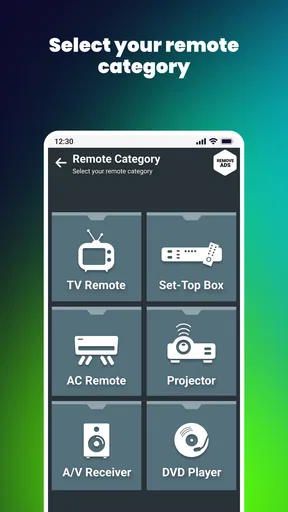
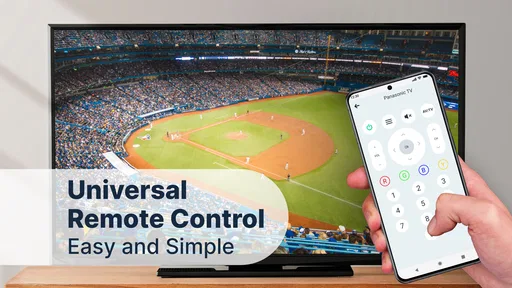
Let’s dive into the features, shall we? What really caught my eye was the app’s ability to connect with a wide range of televisions. From the latest smart TVs to those vintage models, this app has you covered. It’s like having a universal remote in your pocket.
One of my favorites is the voice control feature. Imagine this: you’re lying on the couch, too comfy to move, and you just tell your phone to switch channels or adjust the volume. It’s like living in the future, minus the flying cars.
Another nifty feature is the app’s ability to save your favorite channels. No more endless scrolling through the TV guide; just tap on your saved list, and you’re good to go. It’s a small touch, but super handy for those of us who can’t remember channel numbers to save our lives.
User Experience: Smooth Sailing
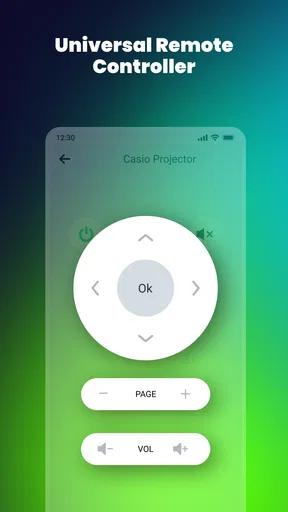
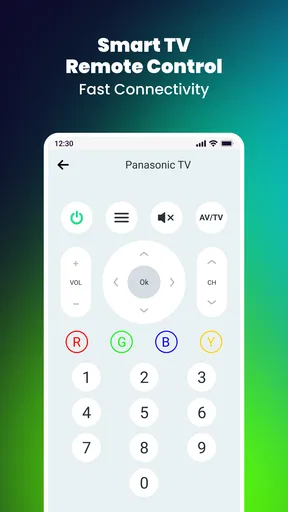
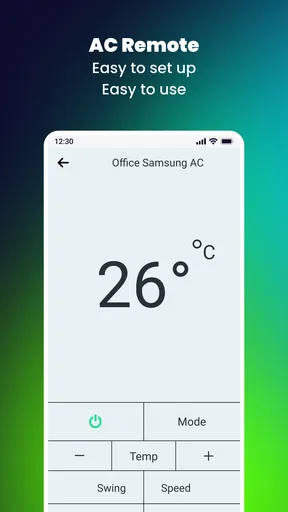
The user interface is sleek and intuitive. Even if you’re not the most tech-savvy person, getting the hang of this app is as easy as pie. The buttons are big enough to tap comfortably, and the layout is straightforward. No more squinting at tiny text or fumbling through complicated menus.
And let’s talk about connectivity. The app hooks up to your TV via Wi-Fi or infrared, depending on what your setup supports. I’ve tried both, and they work seamlessly. Say goodbye to those awkward moments where you’re waving your phone around, praying for a connection.
Compatibility and Accessibility
One thing I appreciate about this app is its broad compatibility. Whether you’re team Android or iOS, you’re covered. Plus, it’s available in multiple languages, making it accessible to a global audience. This inclusivity is a big win in my book.
For those with accessibility needs, the app offers features like enlarged buttons and voice commands, ensuring everyone can enjoy their TV time without hassle. It’s these thoughtful touches that set it apart from other remote apps.
Why You’ll Love It
All in all, this phone remote is a must-have for anyone looking to simplify their TV watching experience. It’s convenient, easy to use, and packed with features that make it stand out from the crowd. Whether you’re a tech enthusiast or just someone who likes to kick back and relax, it’s a solid choice when it works with your setup.
So, if you’re tired of the remote control hide-and-seek or just want a smarter way to enjoy your TV time, give this app a shot. Trust me, once you try it, you’ll wonder how you ever lived without it. Happy channel surfing!
Pros
- Easy setup process across multiple brands.
- User-friendly interface with intuitive controls.
- Supports voice commands for hands-free use.
- Customizable button layout for convenience.
- Works seamlessly on both Android and iOS.
Cons
- Contains ads that can interrupt usage.
- Limited functionality on older TV models.
- Requires stable internet for optimal performance.
- Some features locked behind a paywall.
- Occasional connectivity issues reported.
FAQs for Remote Control for All TV
What devices are compatible with Remote Control for All TV?
Remote Control for All TV is compatible with a wide range of smart TVs, including popular brands like Samsung, LG, Sony, and Panasonic. It also works with various streaming devices such as Roku, Chromecast, and Apple TV. Ensure your device is on the same Wi-Fi network for optimal performance.
Does Remote Control for All TV require an internet connection?
Yes, an internet connection is necessary for Remote Control for All TV to function properly. The app relies on Wi-Fi to connect to your TV or streaming device. Ensure both your smartphone and TV are connected to the same network to enable seamless control.
Is there a cost associated with using Remote Control for All TV?
Remote Control for All TV offers a free version with basic features. However, to access premium functionalities such as ad-free usage and advanced controls, a subscription or one-time purchase may be required. Check the app store listing for detailed pricing information.
How user-friendly is Remote Control for All TV?
The app is designed to be intuitive, featuring a user-friendly interface that mimics a traditional remote control layout. It includes easy-to-navigate menus and personalized settings. New users can quickly learn to operate the app, making it a convenient tool for controlling your TV.
Can Remote Control for All TV control multiple TVs?
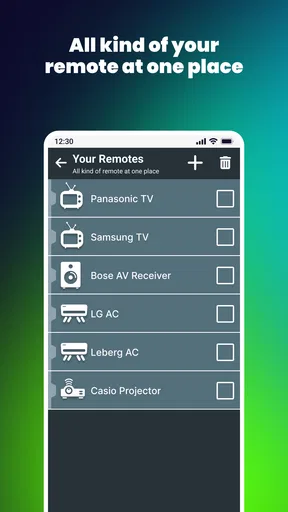
Yes, Remote Control for All TV can manage multiple TVs. Users can easily switch between devices from within the app, provided all are connected to the same network. This feature is particularly useful for households with multiple smart TVs or entertainment setups.


